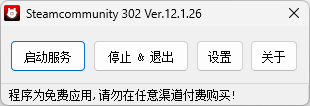
首页 软件 游戏娱乐 网络工具 Steamcommunity_302
Steamcommunity_302
查看 186 下载 21 收藏 举报
  • 操作系统: Windows , macOS , Linux
  • 许可证: 免费
  • 原文链接: 点击查看
  • 语言: 中文 (Chinese)
普通会员:免费下载

discord、Steam、twitch、github等平台加速

使用教程:Steamcommunity_302_详细功能介绍 – Dogfight360

附件列表
Windows (AMD64)
蓝奏云 / 附件大小:57.40MB
下载
Windows (ARM64)
蓝奏云 / 附件大小:53.90MB
下载
Mac – Apple Silicon
蓝奏云 / 附件大小:57.00MB
下载
Mac – Intel Chip
蓝奏云 / 附件大小:59.90MB
下载
Linux (AMD64/SteamDeck)
蓝奏云 / 附件大小:56.00MB
下载
Linux (ARM64)
蓝奏云 / 附件大小:52.70MB
下载
发表评论
  • 顺带评个分
提交
×

重要通知

现在平台支持上传和实时预览3d建模,默认在图片后面(因为放在前面有的建模太大会加载缓慢,影响用户第一视觉观感,索性放到图片后面,他们看到的时候也就预加载完成了)

目前支持格式:obj,3ds,stl,ply,gltf,glb,off,3dm,fbx
ps:因为懒,所以上传3d建模文件时,没有弄进度条。如果上传成功他会直接显示文件名
案例作品:
https://oogc.cc/zy/down-view-1588
https://oogc.cc/zy/down-view-1058

The platform now supports uploading and real-time previews of 3D models. By default, they are loaded behind the images. (Since placing them first can cause slow loading for large models and affect the user's initial experience, we put them behind so they can finish pre-loading by the time the user sees them.)

Currently supported formats: obj, 3ds, stl, ply, gltf, glb, off, 3dm, fbx
P.S. Out of laziness, there is no progress bar when uploading 3D model files. Once the upload is successful, the filename will be displayed directly.
Example works:
https://oogc.cc/zy/down-view-1588
https://oogc.cc/zy/down-view-1058
返回顶部